Microsoft is testing a new feature for Windows Search. This is called copy and search.
Its purpose is to make text searching faster. Normally, when you want to find something in a document or web page, you either click the search box or press Ctrl + F, and then type something in, or paste the text. The same applies to Windows Search on the taskbar, you click on it and paste something. Technically, you click on it, wait for the search UI to show, and then start typing your query. It’s a little annoying,
Microsoft wants to streamline this process. When you copy some text, the Search box in the Windows taskbar will detect that the clipboard contains text, and display a suggestion that says “Find the copied text”. It also displays a paste icon in the search box to indicate that the contents of the clipboard can be used for searching. Microsoft calls this icon the “Paste Gleam”. By clicking on it the text will be pasted and the search will start automatically. All it takes is one click. I think it’s similar to pasting into a browser and going, it just makes it a little more efficient.
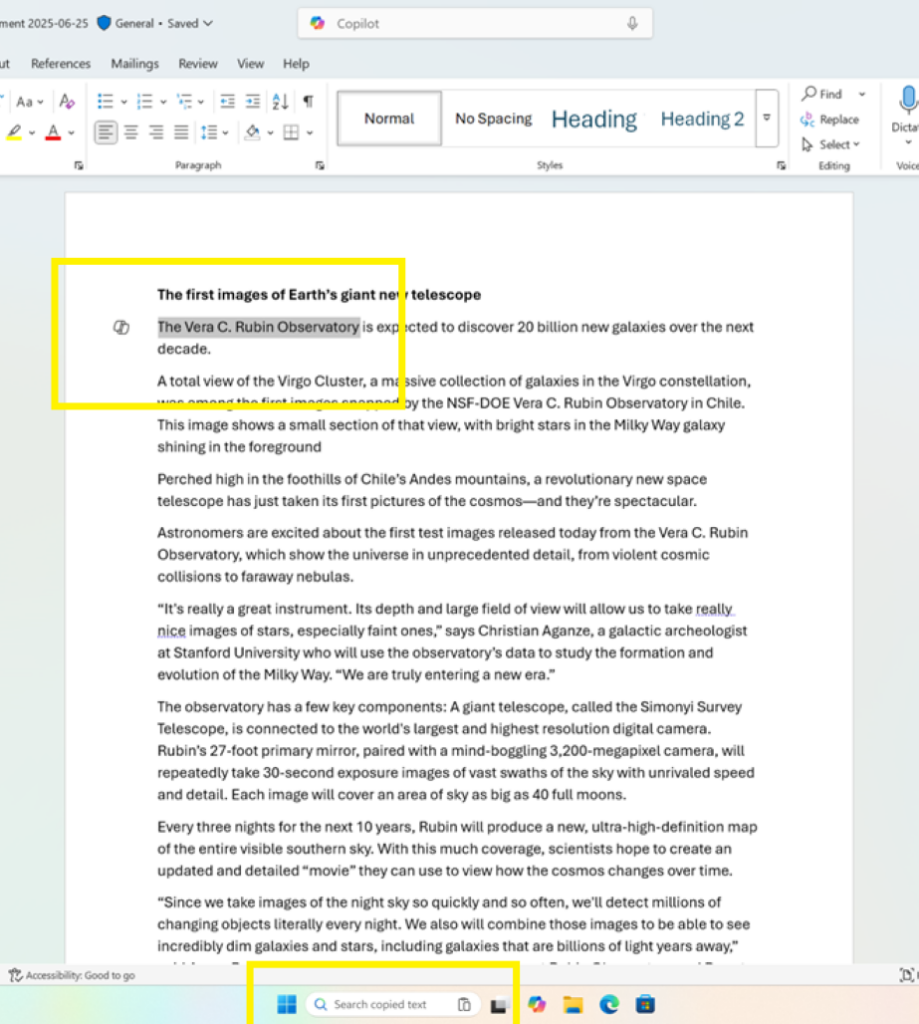
(Image courtesy: Microsoft)
copy and search currently being tested In the Beta and Dev channels of Windows 11 in the Insider Program.
Microsoft is also introducing a new troubleshooting feature called Proactive Memory Diagnostics. When Windows runs into a bugcheck like Unexpected Restart, it may display a notification upon reboot, suggesting a quick memory scan.
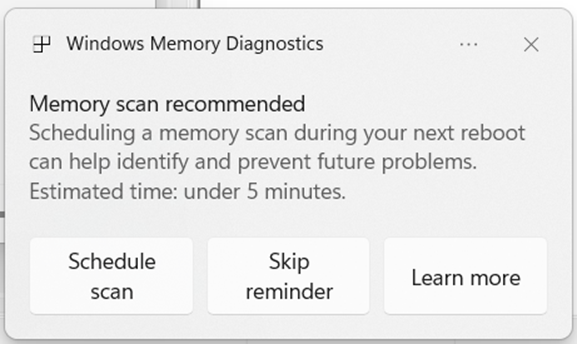
This option, when accepted, will schedule a Windows memory diagnostic scan to run when you reboot your PC. The tool will notify you if any issues are found and mitigated. This feature is not currently supported on ARM64 devices and computers that have BitLocker without administrator protection, or Secure Boot.
What do you think about copy and search?
Thanks for reading..